Software for Seldarine
Garden holds programs and documents for the Seldarine ternary computer, written in Corellon and Larethian.
Download Seldarine for Windows (x64)
Development build. Extract all four files into a new folder, then open Seldarine.exe.
Packages
Loading packages…
No packages match your search.
Using Command Prompt
Enter adds a new line. Shift-Enter executes your command. The shell uses Larethian; prefix Corellon input with \crn.
garden list
garden load [counter]
run \s [counter.lrn]
garden load [hello] [counter] selects several packages. Dependencies are loaded first. garden update [counter] updates one package; garden update updates all installed packages. garden remove [counter] removes a package when no installed package requires it.
Read the classic package guide (its older pkg alias still works).
Dyo Dendra
A small tiled desktop, installed separately above Command Prompt. It uses the Seldarine bitmap font and a willow-and-olive wallpaper.
garden load [desktop]
run \s [desktop.crn]
Garden loads the wallpaper automatically. In the empty workspace, T adds Command Prompt and F adds Files. Tab changes focus, Escape closes a tile, and Ctrl-S swaps their left/right positions. Q returns to Command Prompt. The editor still uses Ctrl-S to save.
In the empty workspace, C switches the desktop palette. Compatible replacement fonts use the same 5×6 bitmap size; root [font] ; 0 restores Seldarine.
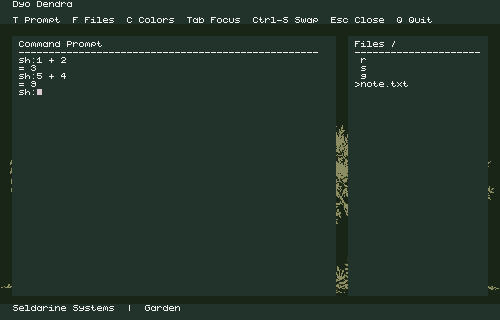
See the empty workspace
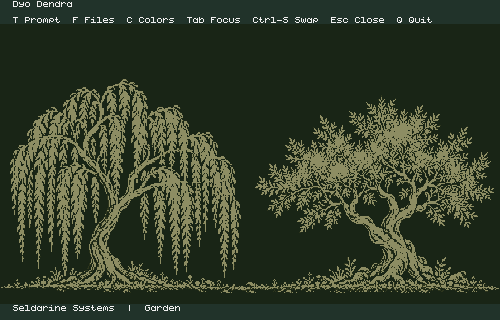
See the reordered tiles
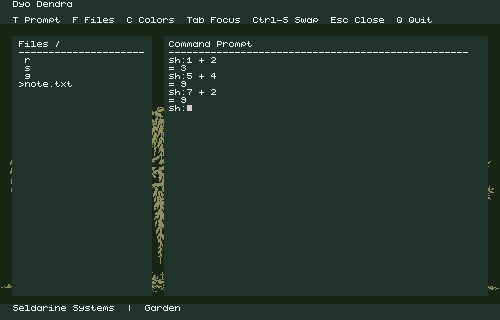
This first desktop has two tile types, keyboard controls and a modal editor. Initial wallpaper drawing takes a few seconds; cursor movement, typing and file navigation keep the wallpaper intact.
About these packages
Garden checks SHA-256 hashes before installation. Installing a package does not run it. The catalog contains four examples, a guide, Dyo Dendra, its wallpaper and an updateable Command Prompt.
garden load [command-prompt] installs the guest shell package. Later, garden update [command-prompt] applies a newer release. Native packages require the matching emulator build; Windows executable updates use the download above.